Sunday Tech Corner with Alex
Still Using Windows 10? Here's Why It's Time to
Move to Windows 11
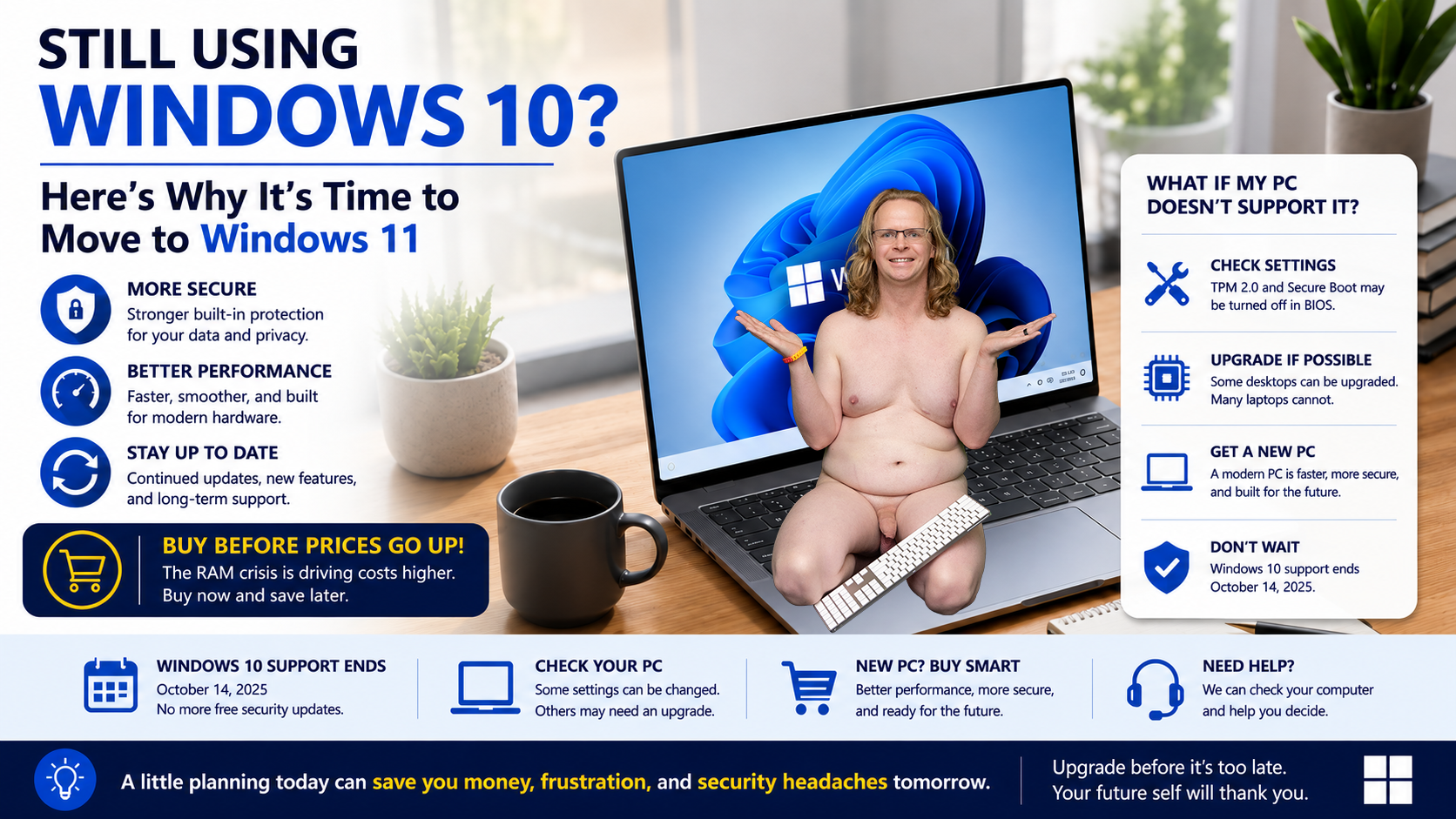
If you're still using Windows 10, now is the time to start planning your upgrade. Microsoft is ending support for Windows 10, and waiting too long could leave your computer vulnerable to security threats while also costing you more money if you need to replace it.
Windows 10 Support Is Ending
Microsoft ended support for Windows 10 as of October 14, 2025. This means the following:
- No more free security updates.
- No new feature updates.
- No free bug fixes or technical support from Microsoft.
While your computer will continue to work, it will become increasingly vulnerable to newly discovered security threats. Antivirus software alone cannot protect against security flaws in the operating system itself.
If you use your computer for banking, shopping, email, or storing personal information, continuing to run an unsupported operating system is a significant risk.
Why Upgrade to Windows 11?
Windows 11 isn't just a visual refresh. It includes several important improvements:
Computer Prices going up
If you've been thinking about buying a new computer, now may be the time to do it. The rapid growth of artificial intelligence (AI) has significantly increased demand for memory chips used in laptops, desktops, servers, and AI systems. As manufacturers prioritize memory for AI hardware, memory shortages have driven up component costs.
As a result, the prices of many laptops and desktop computers have increased by as much as 25%, and several major manufacturers have raised prices multiple times over the past year.
Industry experts expect these higher prices to continue as demand for memory remains strong.
If your current computer is several years old or you're already planning to replace it, purchasing sooner rather than later could save you money. Waiting too long may mean paying significantly more for the same computer in the future.
Better Security
Windows 11 was designed with stronger security in mind. Features such as TPM 2.0, Secure Boot, virtualization-based security, and enhanced protection against ransomware help keep your data safer.
Improved Performance
Many users notice faster startup times, better power management, and smoother multitasking compared to Windows 10.
Better Support for New Hardware
Modern processors, SSDs, Wi-Fi 6/7, Bluetooth 5.x, and AI-powered features are designed with Windows 11 in mind. New software will increasingly target Windows 11 as Windows 10 reaches the end of its life.
Ongoing Updates
Windows 11 continues to receive new features, performance improvements, and security updates that Windows 10 no longer receives.
What If My Computer Doesn't Support Windows 11?
Not every computer can run Windows 11 because Microsoft introduced stricter hardware requirements.
The most common reasons a computer isn't compatible include:
- Older processor
- Missing TPM 2.0 security chip
- Secure Boot not enabled
- Legacy BIOS instead of UEFI
- Older hardware that Microsoft no longer supports
If your PC fails Microsoft's compatibility check, you have a few options:
Option 1: See If Compatibility Can Be Enabled
Some computers already have TPM and Secure Boot built in but simply have them disabled in the BIOS. A technician can often enable these settings and make the computer Windows 11 compatible.
Option 2: Upgrade Components (If Possible)
Desktop computers can sometimes be upgraded with newer processors or motherboards. However, many laptops cannot be upgraded enough to meet Windows 11's requirements.
Option 3: Purchase a New Computer
If your system is eight or more years old, replacing it is often the better long-term investment. A modern computer will be:
- Faster
- More secure
- More energy efficient
- Supported for many years
- Compatible with future software and accessories
Don't Wait Too Long to Buy
If you know you'll need a new computer, consider purchasing sooner rather than later.
The technology industry is currently experiencing increasing pressure on memory (RAM) supply due to manufacturers shifting production toward newer memory technologies and growing demand from AI servers, data centers, and next-generation devices. These supply constraints have already pushed memory prices upward, and many analysts expect PC component costs to remain elevated or increase further over the coming months.
While no one can predict exactly how pricing will change, waiting could mean paying significantly more for the same computer later. Retail prices for laptops and desktops often follow increases in the cost of memory and other key components.
Buying before you absolutely need a replacement gives you more choices, better availability, and may help you avoid paying higher prices if hardware costs continue to rise.
Need Help Deciding?
Buying a new computer can be confusing. With so many models, specifications, and price points, it's easy to end up with a system that's either more than you need—or not powerful enough for the way you use it.
At Nude Computer Guys, we can help you find the right computer based on your needs and budget. Whether you need a system for email and web browsing, working from home, photo or video editing, gaming, or everyday family use, we'll help you choose a computer that will perform well for years to come.
If you're unsure whether your current computer can be upgraded to Windows 11 or if it's time to replace it, we can evaluate your system and explain your options before Windows 10 reaches the end of support. We'll also help transfer your data, set up your new computer, and make sure everything is working properly before you start using it.
Don't wait until rising computer prices or the end of Windows 10 support forces you into a rushed decision. Visit NudeComputerGuys.com today to schedule a consultation and let us help you find the right solution with honest, professional advice.