Sunday Tech Corner with Alex
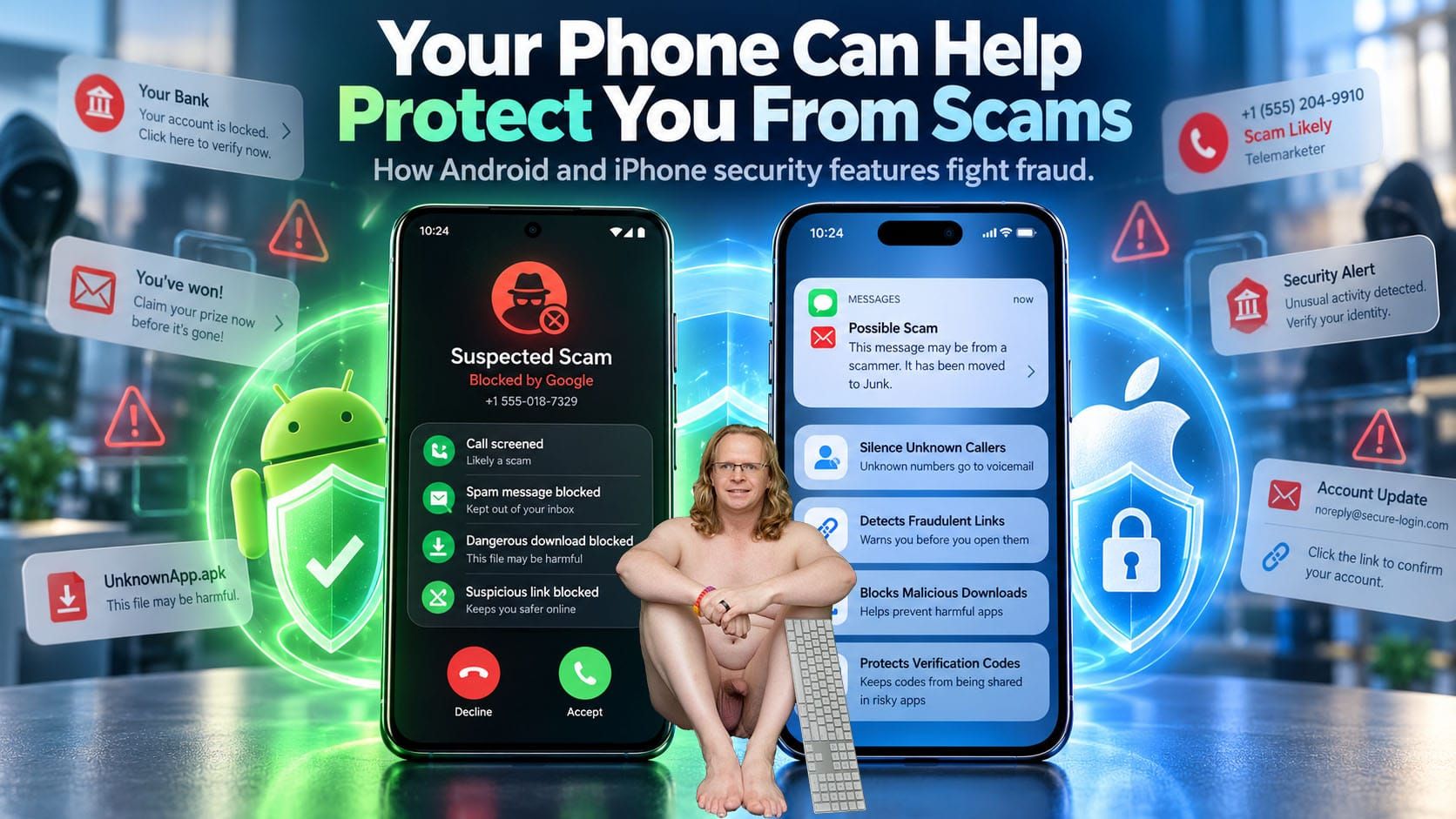
Your Phone Can Help Protect You From Scams
How Apple and Google Are Fighting Back Against Digital Fraud
Imagine receiving a phone call from someone claiming to be your bank. They know your name, your address, and perhaps even the last four digits of your account number. They tell you there’s suspicious activity and you need to act immediately.
Would you recognize it as a scam?
Today’s scammers are becoming increasingly sophisticated, using artificial intelligence, fake caller IDs, convincing text messages, and malicious apps to steal personal information and money. Fortunately, Apple and Google are fighting back with some impressive security features built directly into our smartphones.
And the best part? Many of these protections are already available on the phone you own.
Android: Using AI to Stop Scams Before They Happen
Google has been especially aggressive in developing technology that identifies scams while they’re happening.
1. Real-Time Scam Detection
On supported Google Pixel phones and newer Samsung Galaxy devices, AI can analyze phone conversations for patterns commonly associated with scams.
For example, if someone claiming to be from your bank suddenly demands that you transfer money or reveal sensitive information, your phone may display a warning and provide an audible alert.
On supported devices, this analysis happens directly on the phone rather than sending your conversation to Google’s servers.
2. Protection Against Banking Scams
One of Google’s more interesting developments involves protecting users while they’re speaking with potential scammers.
Criminals sometimes convince people to share their screens, open banking apps, or install software that secretly gives them access to their phones.
Android now includes protections that can prevent certain risky actions during calls with unknown numbers, including disabling Google Play Protect or installing potentially dangerous applications.
Google has also been expanding protections with participating financial institutions. Some supported Android phones can warn users when they’re sharing their screens while opening banking apps.
Newer technology can even verify certain incoming calls from participating banks to help identify impersonators.
3. Protecting Authentication Codes
We’ve all received those six-digit security codes when logging into banking websites and other accounts.
Unfortunately, malicious applications sometimes attempt to steal these codes.
Google has introduced technology that hides sensitive one-time text message codes from most applications for three hours, reducing the opportunity for unauthorized apps to capture them.
4. Blocking Dangerous Downloads
Google Play Protect continuously examines installed applications for suspicious activity, including apps downloaded outside the Google Play Store.
Google is also improving Chrome’s ability to identify malicious Android application downloads before they reach your phone.
Android 17 introduces additional detection for suspicious app behavior, including attempts to misuse accessibility permissions or secretly forward text messages.
iPhone: Apple’s Approach to Scam Prevention
Apple takes a somewhat different approach, concentrating on restricting unauthorized access, screening suspicious communications, and protecting sensitive personal information.
1. Call Screening
Introduced with iOS 26 and continuing in iOS 27, Apple’s Call Screening feature can automatically answer unknown callers and ask them to identify themselves and explain why they’re calling.
You can review their response before deciding whether to answer.
This is especially useful for reducing unwanted calls, although it doesn’t analyze scam conversations in the same way Google’s supported real-time detection does.
2. Filtering Suspicious Text Messages
Apple’s Messages app can separate messages from unknown senders and detect potential spam.
Instead of suspicious messages appearing alongside conversations with friends and family, they can be filtered into separate folders.
This helps reduce exposure to fraudulent delivery notifications, fake banking alerts, and messages containing dangerous links.
3. Stolen Device Protection
One of my favorite iPhone security features is Stolen Device Protection.
Even if someone steals your phone and knows your passcode, this feature requires Face ID or Touch ID for certain sensitive actions.
Some account changes also require an additional security delay, making it significantly harder for criminals to take control of your Apple Account.
4. Protection Against Fraudulent Websites
Safari includes built-in warnings about websites suspected of phishing.
This is particularly important because fake banking websites and fraudulent shopping pages can look almost identical to legitimate ones.
Apple also supports passkeys, which can help protect against phishing attacks by replacing traditional passwords with stronger authentication.
What You Should Turn On Today
Here are a few settings I recommend checking.
For Android users:
- Open Google Play Store → Profile → Play Protect and verify that scanning is enabled.
- Check your Phone app settings for Scam Detection, if supported.
- On Android 16 or later, explore Settings → Security & Privacy → Advanced Protection.
- Install Android security updates regularly.
For iPhone users:
- Open Settings → Apps → Phone → Screen Unknown Callers and consider selecting Ask Reason for Calling.
- Open Messages → Filters → Manage Filtering and enable Screen Unknown Senders.
- Go to Settings → Face ID & Passcode → Stolen Device Protection and turn it on.
- Under Settings → Apps → Safari, verify that Fraudulent Website Warning is enabled.
Some features depend on your phone model, software version, country, and participating services.
Which Phone Does a Better Job?
Both platforms have made substantial improvements, but they approach scam protection differently.
Google has an advantage in certain proactive features, particularly AI-powered scam detection during calls, suspicious app monitoring, and banking fraud protections.
Apple emphasizes privacy, secure authentication, call screening, and tighter control over sensitive account information.
Neither approach is foolproof.
A determined scammer can still persuade someone to willingly send money, disclose a password, or approve a fraudulent transaction.
My Final Advice
Regardless of whether you’re using an iPhone, Samsung Galaxy, or Google Pixel, remember one important rule:
Never let someone on the phone pressure you into making an immediate financial decision.
If someone claims to be from your bank, hang up and call the number on the back of your bank card or open your banking app directly.
Never share verification codes, install software at a caller’s request, or give someone remote access to your phone.
Your smartphone has become one of your most powerful tools for protecting your digital life. Take a few minutes to familiarize yourself with its security features.
The next scam attempt you encounter might be stopped by a warning on your screen before you even realize you’re being targeted.